Melissa Evans
Content Writer, GroupTogether.
You don't need 5 cups of coffee and a spare 12 hours to organise a stunning teacher card – not when you've got GroupTogether. In under 5 minutes you'll have everything you need to pull off the best card – from design to delivery, we've got it covered.
By Melissa Evans
Last updated on

Organising a teacher card from the class is always 100 times harder than you think it’s going to be – déjà vu hitting now? Just take a step back and relax…we’ve got this one covered. If you’ve got 5 minutes handy and access to the internet, we can help you get the whole thing sorted and then some.
If you’ve decided 2026 is the year you stop chasing everyone down to sign the card and still winding up with a half-empty page, you’re in the right place. With the right approach and zero overthinking, you can organise a fabulous teacher Thank You card from the whole class in under 5 minutes. Yep, quicker than you can make your toast and coffee. Here’s how.
Set the timer: 1 minute
You want to start by creating a GroupTogether card (you can even collect money for a gift). This gives you one link to share and zero need to physically pass around a card. All you need to do is add a few quick details like the teacher’s name, the occasion (congrats, thank you, birthday), your desired delivery date and then you’re halfway there!
How do you get there? Simply click Start on the GroupTogether home page.
Set the Timer: 1 minute
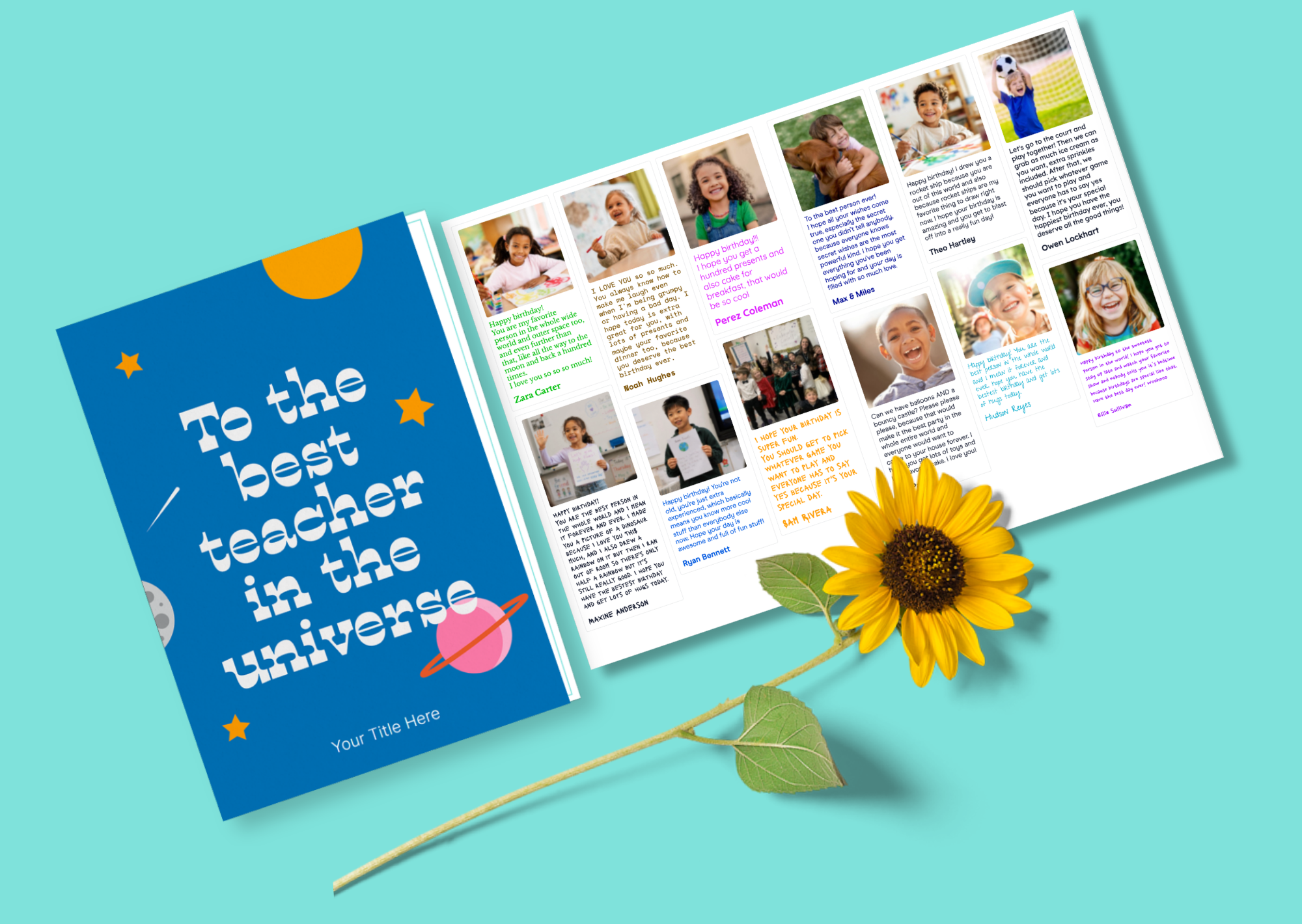
Here’s the fun part – yep, with GroupTogether there’s actually a lot of fun involved in what’s typically an agonising process! You get to choose the card design from thousands of original templates, add some creative flair with the title and even try out our AI Magic Cover Maker to transform your friend into their fave movie character.
Done? Great – you’re over halfway there.
Set the Timer: 30 seconds
It’s not much of a group card without the team, is it? After you choose your cover, you’ll be prompted to write a message to your group to let them know what you want them to do. Then, just send. This part is so easy, simply paste the group card link to your group chat, school app or via email and at the click of a button, everyone is invited to sign.
But we do have one major recommendation – keep your message short and to the point. This is neither the time nor place for rambling…and frankly, it never is!
Try something like:
“Hi everyone! We’re putting together a group card for Mr West. Feel free to add a message here and you can even add a photo too.”
That’s it – no long-winded explanation required.
Parents can:
Set the Timer: 1 minute
Don’t forget to sign the card yourself! In all the organising, it’s easy to take yourself out of the process and forget to join in on the fun. So, kick things off with a message from you – it sets the tone to help give everyone else a little inspo, while also encouraging everyone to jump in without fear of being the first. Hey, initiphobia is a real thing!
Get the ball rolling with a quick line or two:
Set the timer: 1 minute
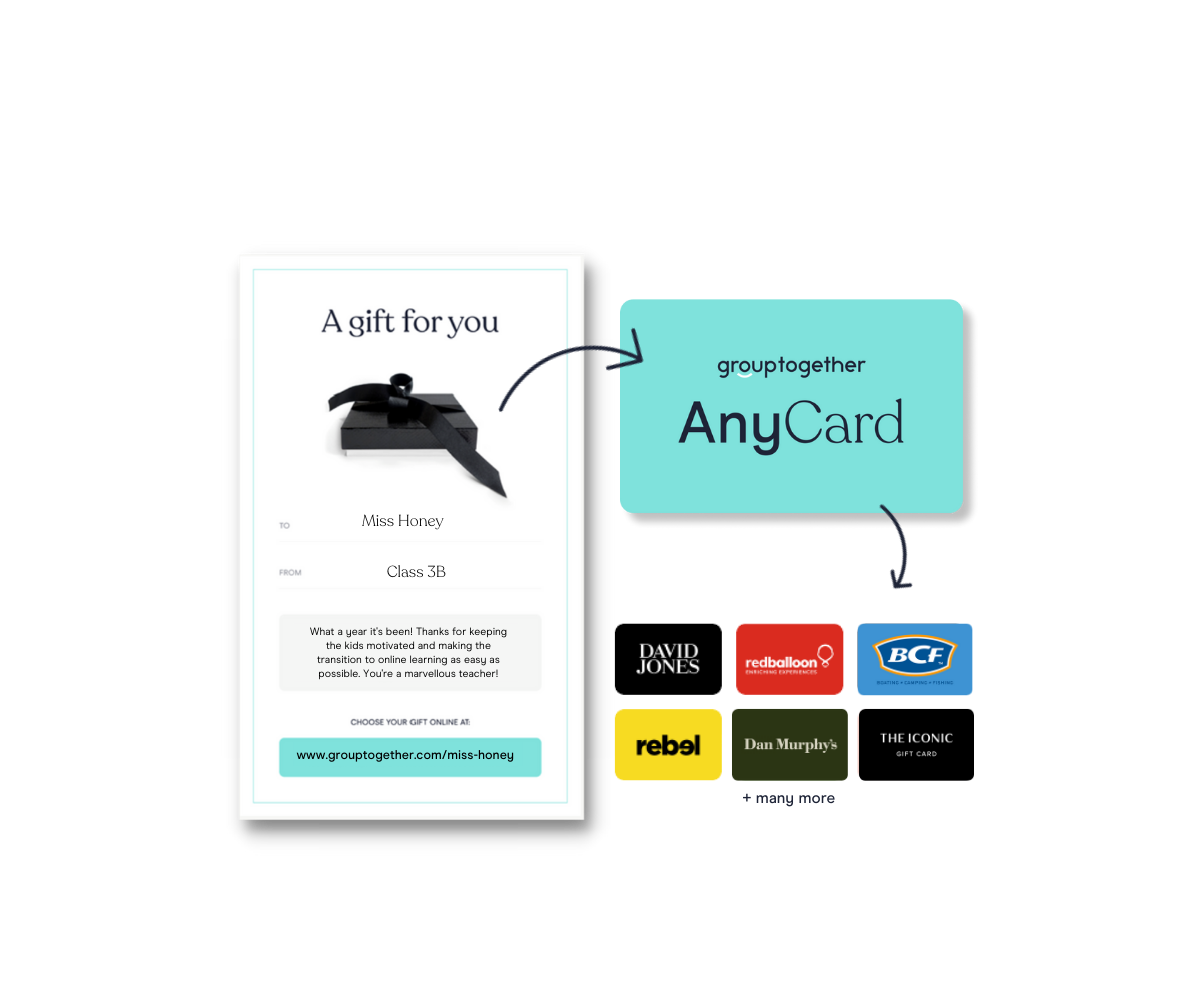
Okay, this one’s totally optional, but it does add a whole lot of pizazz when you attach an eGift Card to your group card. With GroupTogether, everyone can contribute any amount – and a little from everyone adds up to a lot. With the AnyCard, the teacher can choose how to spend it with 100+ retailer options. Whether it’s a $5, $10 or $50 AnyCard, it’s the thought that counts and the flexibility that makes all the difference.
All you need to do is add a gift collection to your card and decide whether you want to set a contribution amount from parents or allow them to pick an amount. You can even make contributing optional to ensure everyone is included, regardless of financial situation.
Total time: 4 minutes, 30 seconds.
Yep, less than 5 minutes, you’re ready to kick your feet up and wait for all the messages to roll in.
The old-fashioned way of thanking the teacher involves passing around a card, hoping it makes it back to you again, realising it didn’t and enjoying that last-minute cortisol spike as it dawns on you that you have to do everything yourself. Again.
In 2026, there is no logical reason to put yourself through that kind of unearthly torture. With GroupTogether, you can still enjoy the creative side of making a beautiful teacher card, without the logistical nightmare of collecting signatures and presenting the card – everything is automated with convenience in mind. But the result is pure emotion with a nostalgic unwrapping process and the collection of the whole class’s warm wishes.
It’s faster, easier and so much more meaningful, because you end up with messages from everyone, not just the people who happened to be there at pickup time.
The winning formula for any class teacher card is to be inclusive – that means making it easy for everyone to sign. It also needs to involve genuine messages and arrive on time. GroupTogether makes all of that a reality in under 5 minutes.
It may be your most efficient piece of room parent work all year.

Melissa Evans
Content Writer, GroupTogether.

Ali + Julie
Co-Founders, GroupTogether
Life’s busy. That’s why we’re here to make it easy for you to collect money from a group. Less wasted time, less packaging waste, and spending a little less but giving a lot better!