Online group greeting cards
The easiest way to create a beautiful group card that everyone can sign online - no matter where they are!
- Perfect for remote teams.
- Unlimited messages, one flat price of $5.50.
- Premium, personalized recipient animation.


Choose from thousands of card designs to personalize!
All GroupTogether cards include unlimited messages. You can change your design before sending.
Over 1 million
happy customers
happy customers
Group Card
- Unlimited messages on the card.
- Upload your own cover design or choose from 1000s of templates.
- Easily share a link with your group to sign your card.
All features
- Unlimited messages on the card.
- Upload your own cover design or choose from 1000s of templates.
- Easily share a link with your group to sign your card.
- Add photos and GIFs to the card.
- Option to add an eGift Card.
Group Card + Collection
- Easily collect money online when the group signs the card.
- Choose from 150+ eGift Cards, or give an AnyCard and let the recipient choose.
- Easily collect money online when the group signs the card.
- Choose from 150+ eGift Cards, or give an AnyCard and let the recipient choose.
Free when you collect min. $20 USD. Contributors pay minimal payment fees: 2.9% + $0.30.
Pack of Group Cards
- Pay once and get discounted rates.
- Easily share access with your team.
- Cards are available for 12 months.
All features
- Pay once and get discounted rates.
- Easily share access with your team.
- Cards are available for 12 months.
- Ideal for those who send cards frequently.

The easiest way to send a group card
- Unlimited messages, photos and GIFs on the card (yes, really!).
- Can be signed by anyone worldwide, even outside of the organization.
- One flat price! No hidden upgrades or plans.
- Download as a PDF to print, or send digitally.
- Easy to invite your group, just share a link or add emails.

Want to collect money for a gift? Easy!
- Easily add a gift collection or eGift Card to your group card.
- Let everyone chip in online when they sign the card, or pay once from the company.
- Choose a set amount, any amount or let your group sign without chipping one.
- Gift contributions are anonymous within the group.
- Choose from eGift Cards in our Gift Store.
- Give the GroupTogether AnyCard to let the recipient choose from 150+ eGift Cards.
How do I create a group card?
Gone are the days of passing around a paper card, chasing people for signatures and worrying about who forgot to sign. With GroupTogether’s digital group cards, you can collect heartfelt messages and photos all in one place! Perfect for hybrid teams, remote coworkers and parents alike. It's soooo easy.

Step 1: Create a group card
Choose from our huge range of card designs and start your group card online in minutes.

Step 2: Invite the group
Share the link or add emails to invite friends, family or coworkers to sign the card. You can even collect money for a gift.

Step 3: Print or send digitally
Download your beautiful card as a PDF to print and give in person, or schedule to send it digitally!

What is an online group card?
An online group card (also called a digital group card or a group ecard) is a virtual card that multiple people can sign from anywhere. Instead of passing around a paper card in person, you simply share a link and everyone can add their own message, photos and GIFs in one place.
Online group cards are perfect for remote teams, hybrid workplaces, long-distance families, schools, sports teams or any group that wants to celebrate someone together without chasing people down for signatures.
With GroupTogether, you can create an online group card in minutes. Invite as many people as you want to sign, then send it digitally or download the card as a PDF for a beautiful keepsake.
From farewells to birthdays, create a tear-jerking group card in minutes
Say goodbye to the office envelope shuffle. With GroupTogether, you can create a digital group card in minutes. Invite colleagues or friends to sign the card online from anywhere in the world. Check out our range of farewell cards, birthday cards, baby cards, teacher cards or have some fun with our photo upload cards! GroupTogether makes it simple, stress-free and fun.
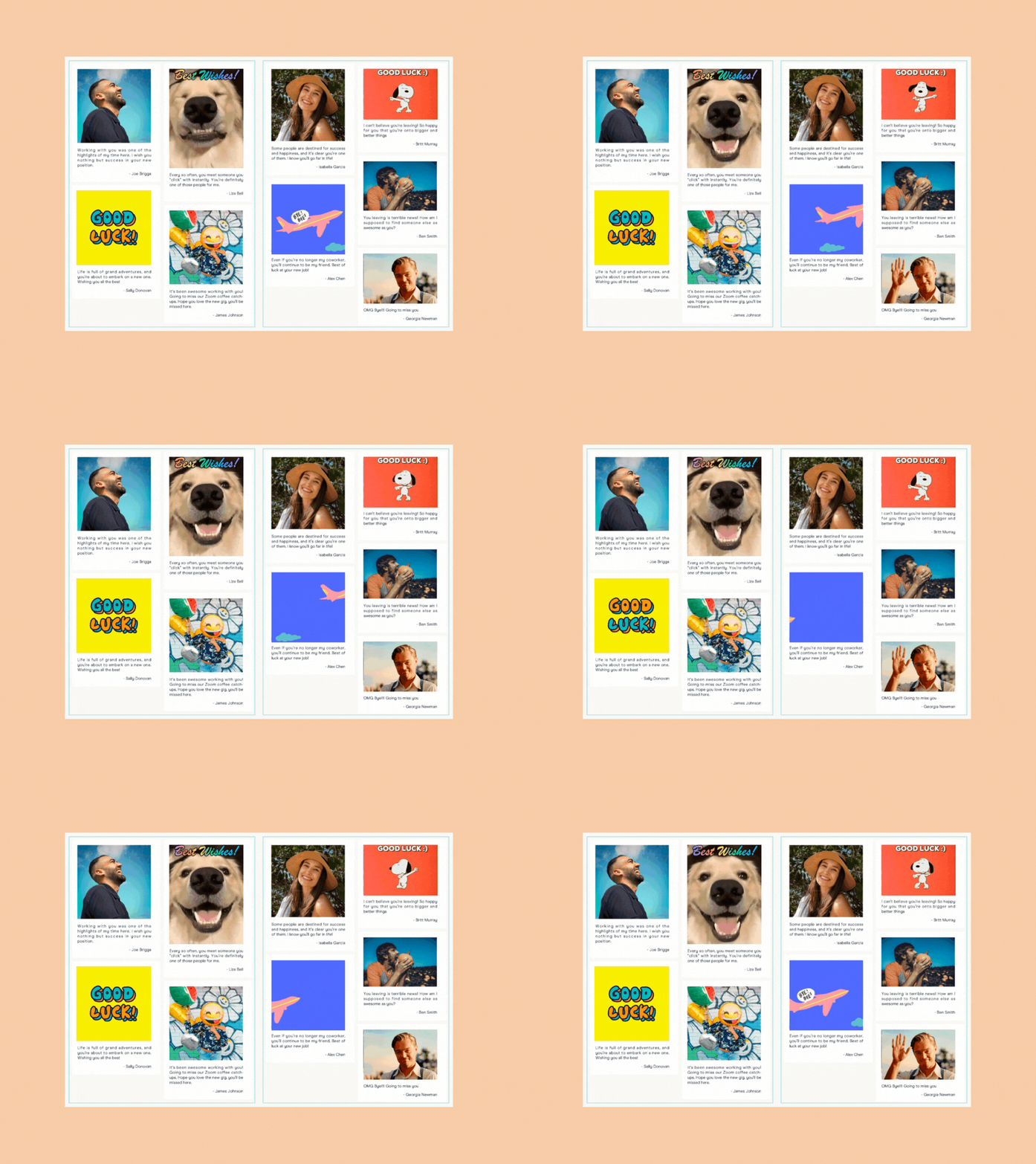
Add photos and GIFs
Simply share your GroupTogether link, everyone can sign and add photo or GIFs to the card online.

Track everything in your dashboard
See who has signed the card, send reminders and extend the close date.
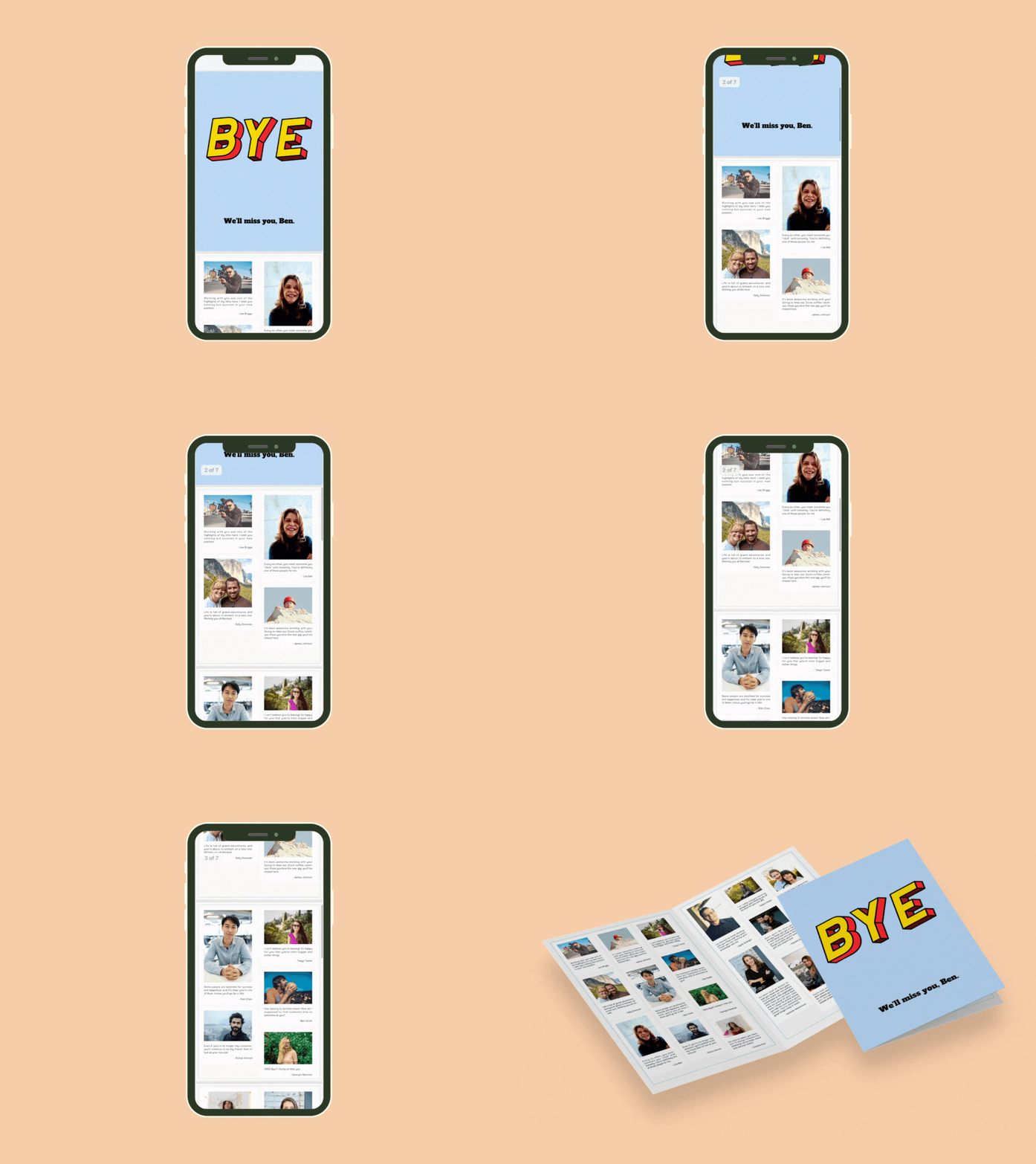
Print or send digitally
Choose to download the card as a PDF to print yourself, or send it digitally.
The latest from the blog

How to Print Your GroupTogether Card at Staples or FedEx

What to Write on a Birthday Card for a Coworker

The Best Website To Create A Group Greeting Card in 2026
You might be wondering
The Group Card is $5.50 USD (including tax & fees) in the US. The Group Card is FREE if you add a gift collection and collect $20+ USD. See what’s included on our pricing page.
With your gift collection, you can choose from 150+ eGift Cards or give the AnyCard and let the recipient choose. See what eGift Cards are available to give in the Gift Store.
There are no extra fees when giving the AnyCard or most of our 150+ retailer eGift Cards. A 2% fee applies only to Amazon, Target and Walmart eGift Cards. This fee can be deducted from the amount collected if you prefer.
Yes! Our Group Card is available worldwide. Collections are currently only available in Australia and the US.
No, there is no limit.
Yes, the card will expand to fit all the messages that are added.
If you’ve set up a card (no collection) your card will be sent at the time you designate during the setup process. You choose the date, time, time zone and delivery email address. GroupTogether will then automatically email it at this time. To edit this time, login to your account, select your card and choose the Edit button in Settings. Choose a new date and time and save.
If you've set up a card + gift there are several options. GroupTogether has a virtual gift unwrapping process that allows the recipient to open and read the card and then unwrap and view the gift. You can choose whether GroupTogether emails that gift link to the recipient directly or whether we send it to you to forward on. You can also download the card and gift as PDF files and print or share with the recipient. We also provide the gift link so that you can copy, paste and share it. All these options are available on your Track page.
Try the #1 rated group greeting card platform
See why so many U.S. teams are switching to GroupTogether to create heartfelt group greeting cards. Perfect for group leaving cards, coworker birthdays, thanking the kid's teacher & so much more.