How To
How To Send Your GroupTogether Card
Last updated on

<h2>So you've made a card with GroupTogether and everyone has signed it (finally!). Time to send it to the recipient :)</h2>
<p>Here are the 4 quick and easy steps to send your card:</p>
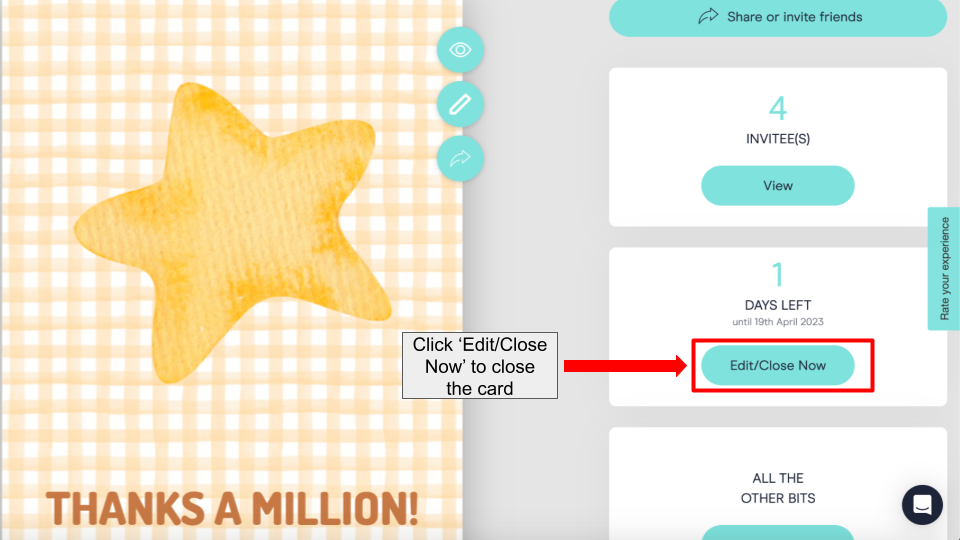
- Make sure the card is closed. To close the card, click the 'Edit/Close Now' button and then select 'Close now' and then 'Save.'
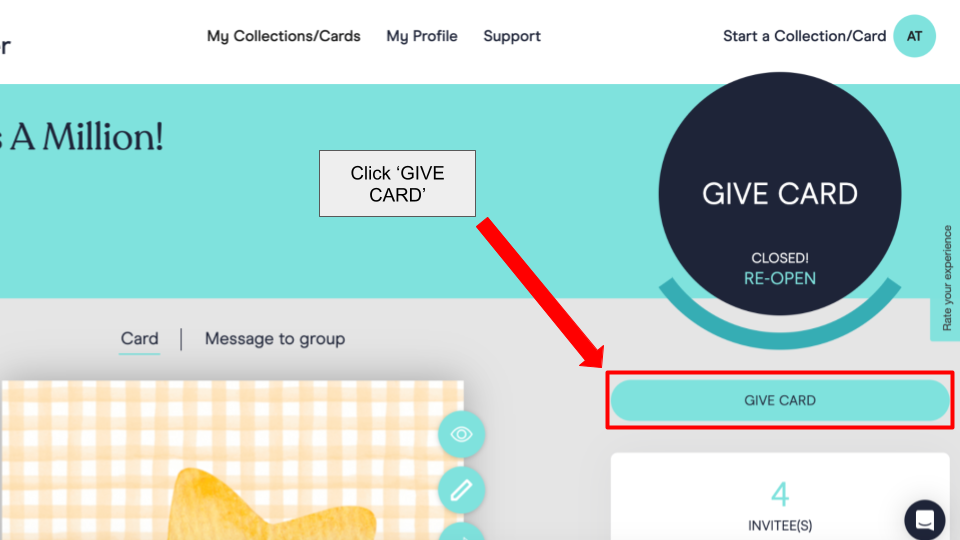
- Click the 'GIVE CARD' button.
- Decide how you would like to send the card - there are 3 options.
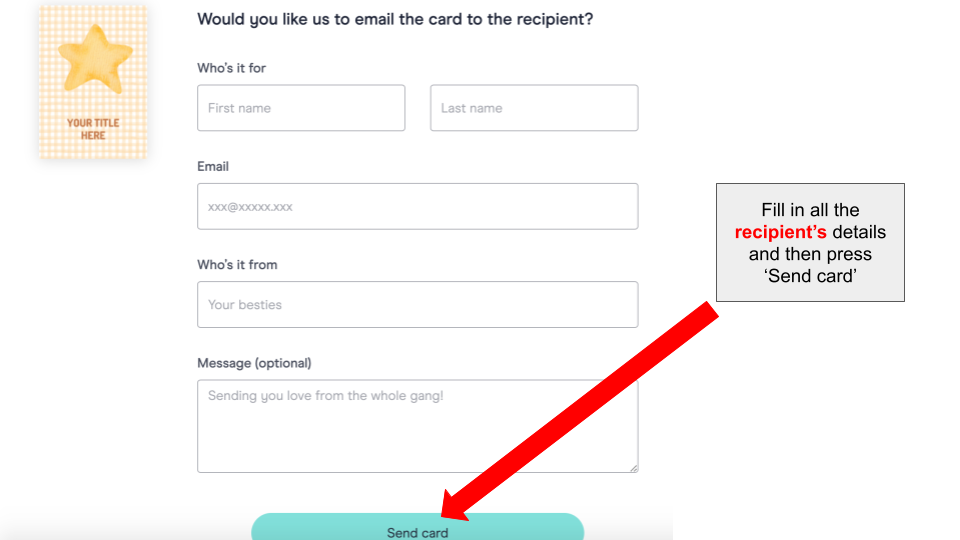
Option 1: Email the card to the recipient (sent from GroupTogether)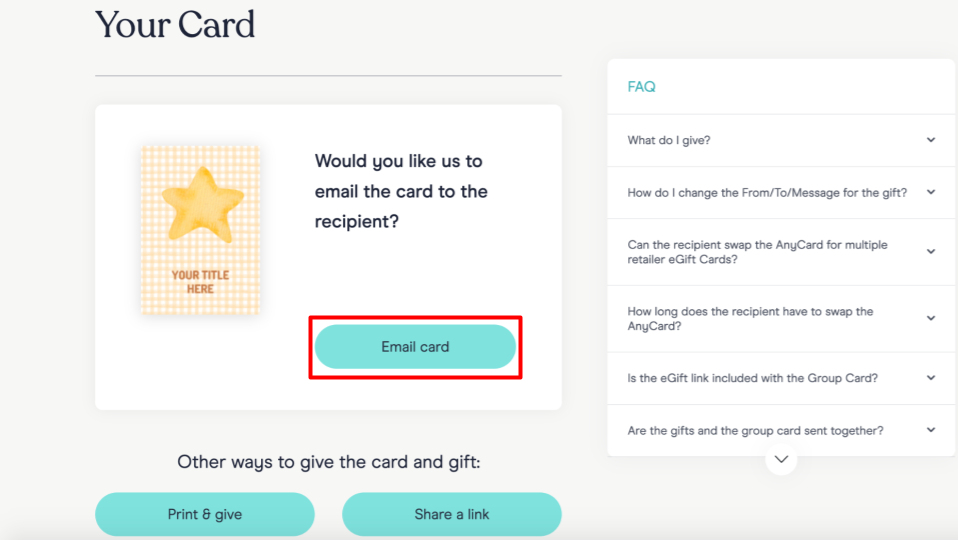
Option 2: Print & give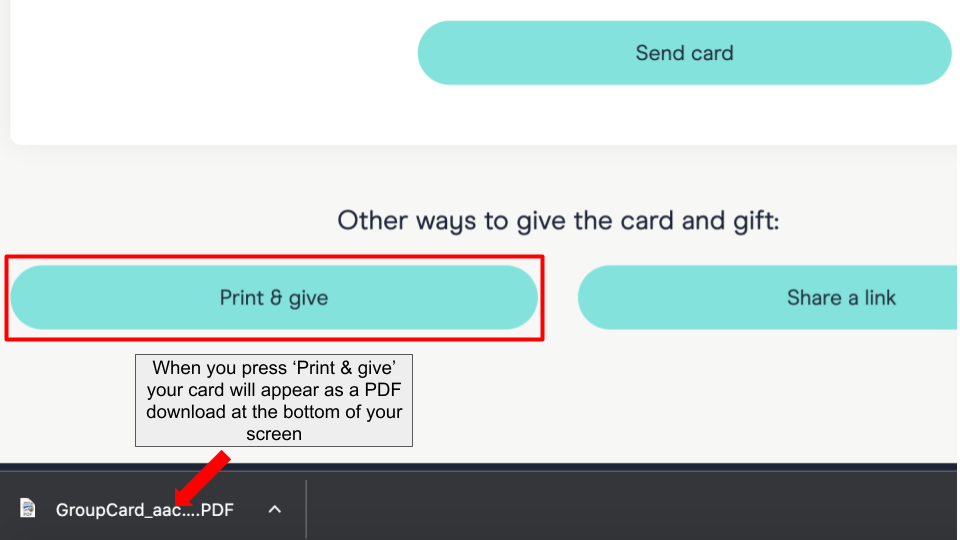
Option 3: Email the card to yourself and then forward it to the recipient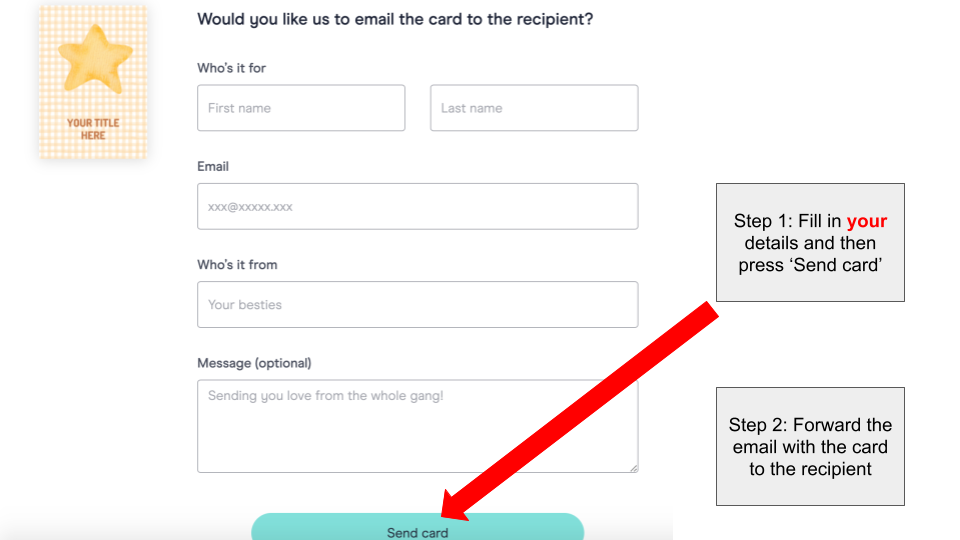
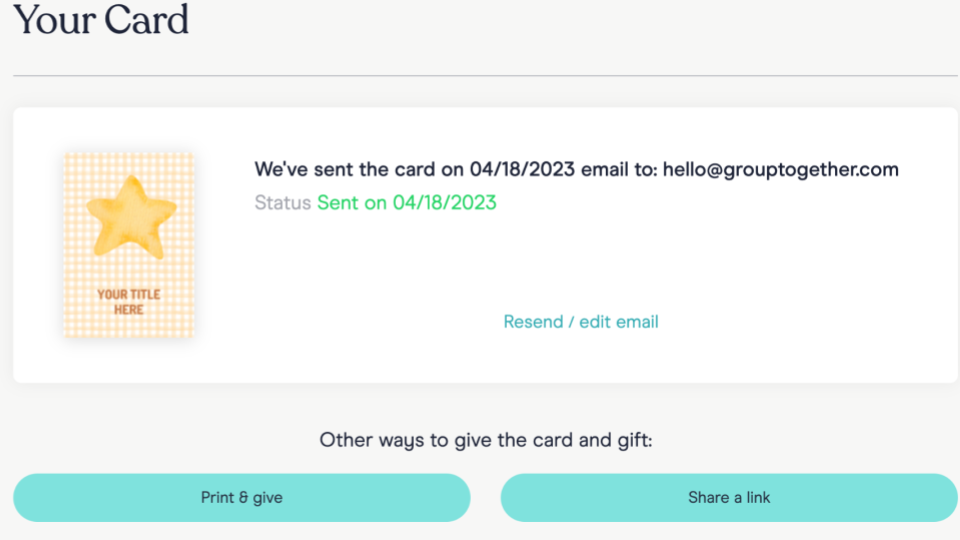
- When you choose to send the card by email, you will receive a confirmation of the date it was sent and the email address it was sent to.
Thanks for reading this blog! We really hope that the tips provided have helped you to send your card quickly and efficiently. But, if for any reason you're still struggling or have any questions, our awesome support team is here to help! Just use our live chat feature, and we'll be happy to assist you in any way we can. Don't hesitate to get in touch with us if you need any further help!